 TagScanner
Scan your Adobe Tags property — right from your browser.
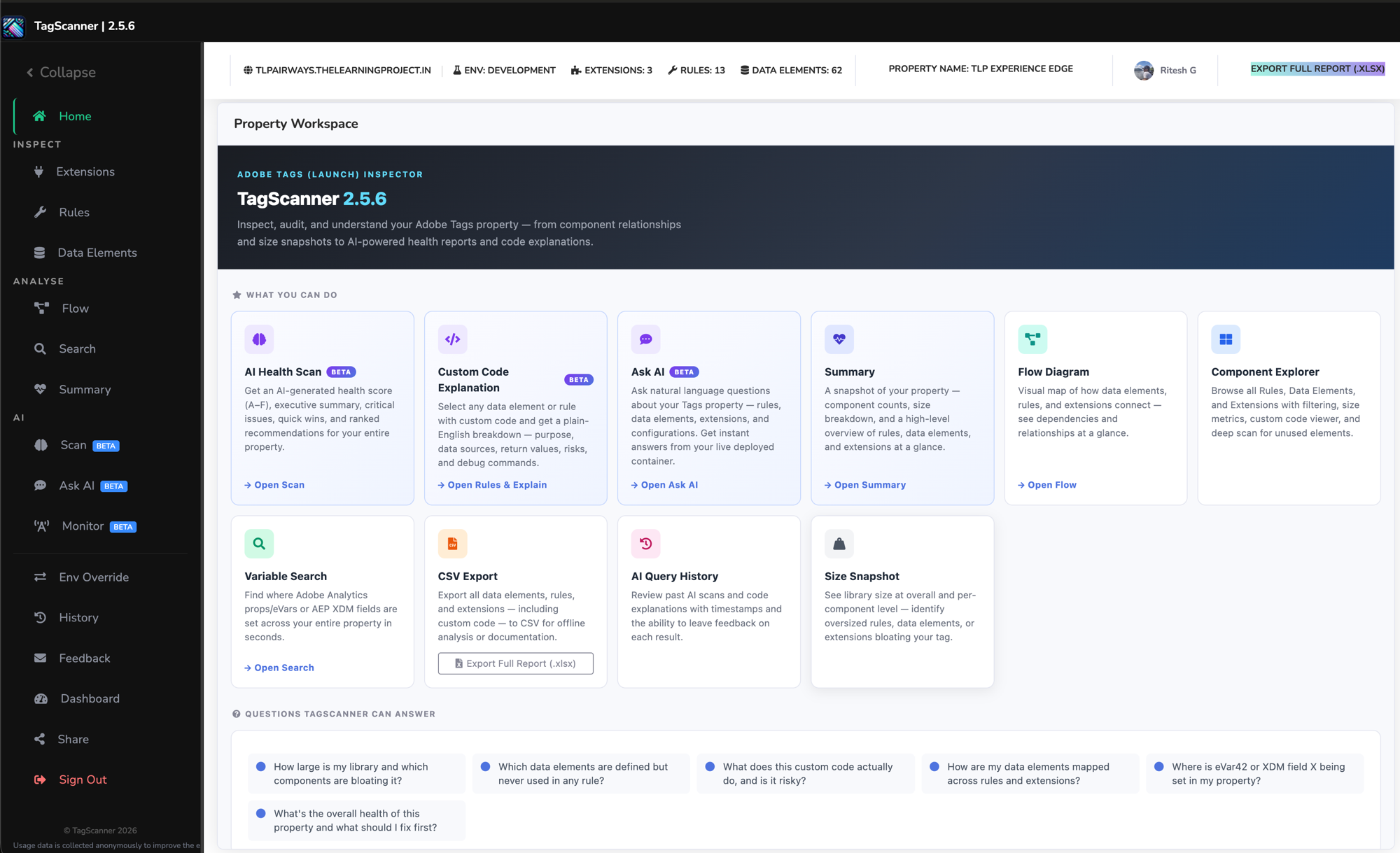
TagScanner is a free Chrome extension for anyone working with Adobe Tags (Launch). Open it on any live site running Adobe Tags and get an instant, complete view of the property — rules, data elements, extensions, dependencies, and custom code.
See it in action
From opening the extension to a full audit report in under two minutes — no setup required.
It reads directly from the _satellite container object that Adobe Tags injects into
every page. That object is always there — TagScanner just surfaces everything inside it.
Everything you need to keep a Tags property healthy
Core features are fully available, free, with no sign-in required.
Audit
Browse every rule with its events, conditions, actions, and custom code. Sortable, searchable, paginated — no more opening rules one by one in the Launch UI.
Analyse
Full data element usage tracking: which rules reference each DE, which extensions use them, and DE-to-DE dependency chains. Deep Scan detects ghost dependencies referenced in custom code that don't exist in the compiled library.
Visualise
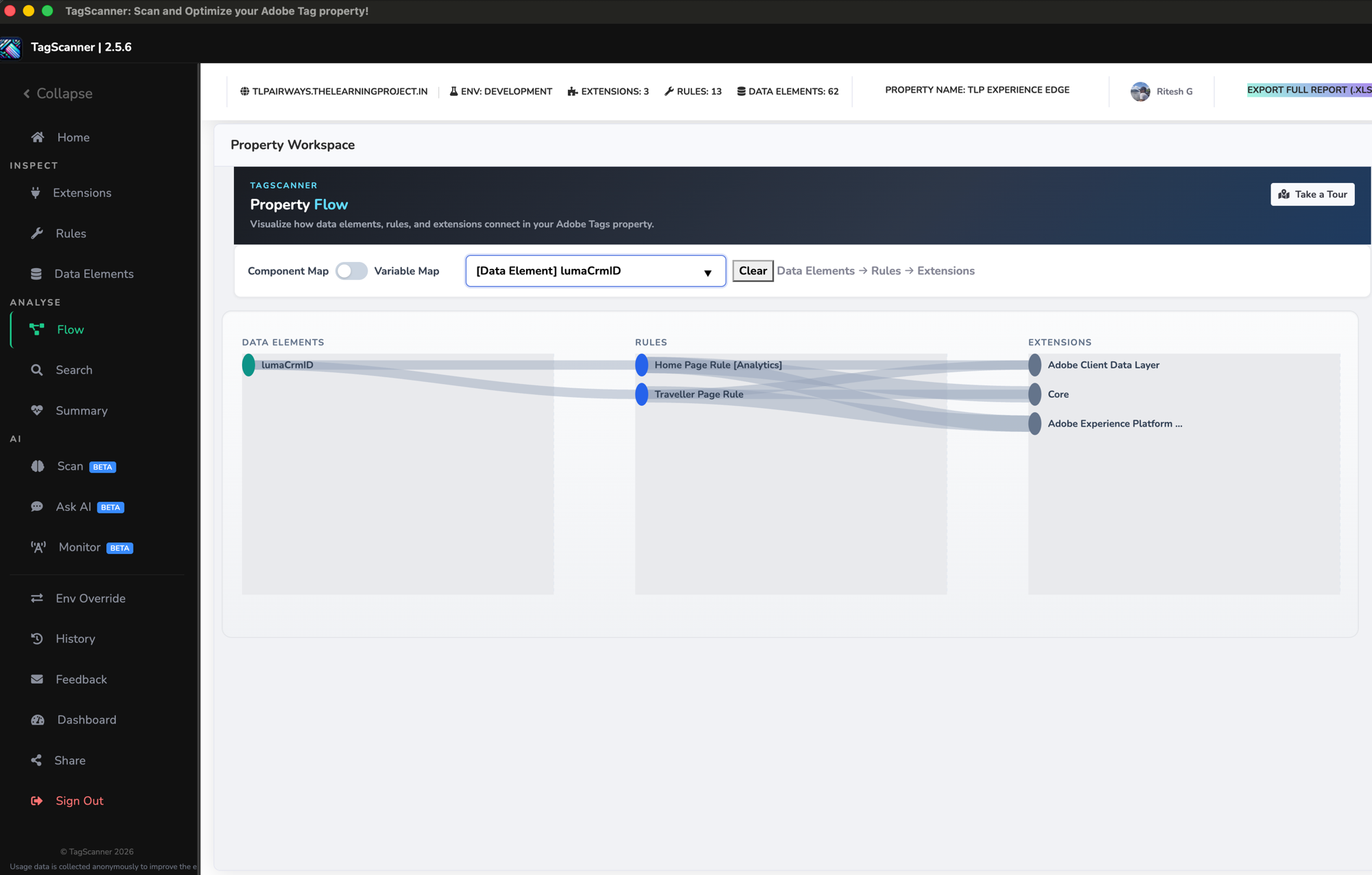
Flow Diagram generates an interactive visual map of your entire property — data elements, rules, extensions, and the connections between them. Always reflects the current published library.
Search
Global Code Search runs full-text search across every rule, data element, and extension — including all custom code blocks — with line-level match highlighting.
Export
One-click .xlsx export of every rule, data element, and extension, including custom code — the export Launch itself can't give you.
Debug
Environment Override redirects the live Tags library to dev or staging at the network level. No proxy tools, no test pages, no page changes required.
AI-powered features Preview / Beta
A manual audit that takes hours — TagScanner does it in under a minute.
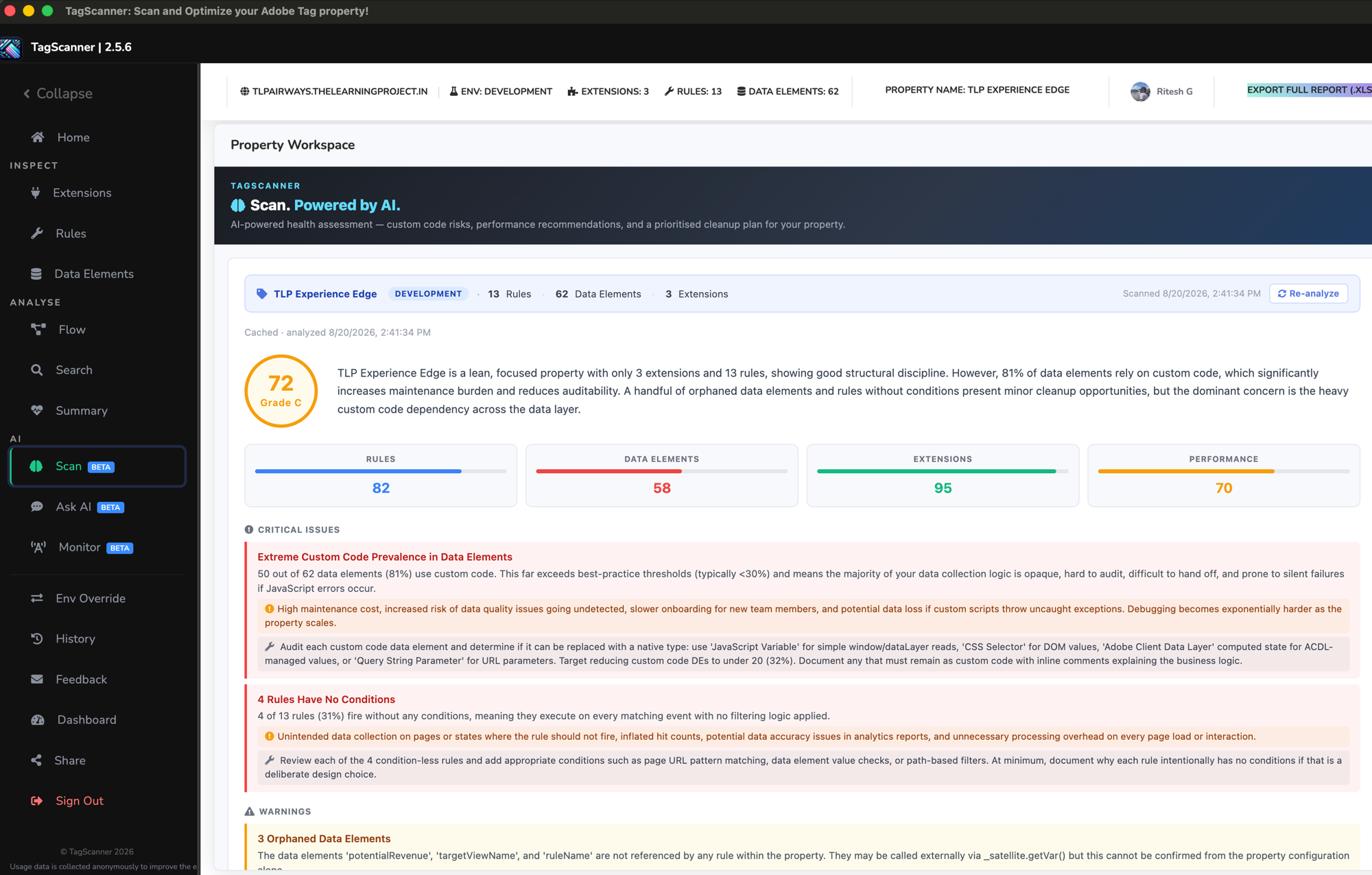
AI Property Health Scan
An A–F health score for your entire property, with an executive summary, category scores, critical issues, and ranked recommendations.
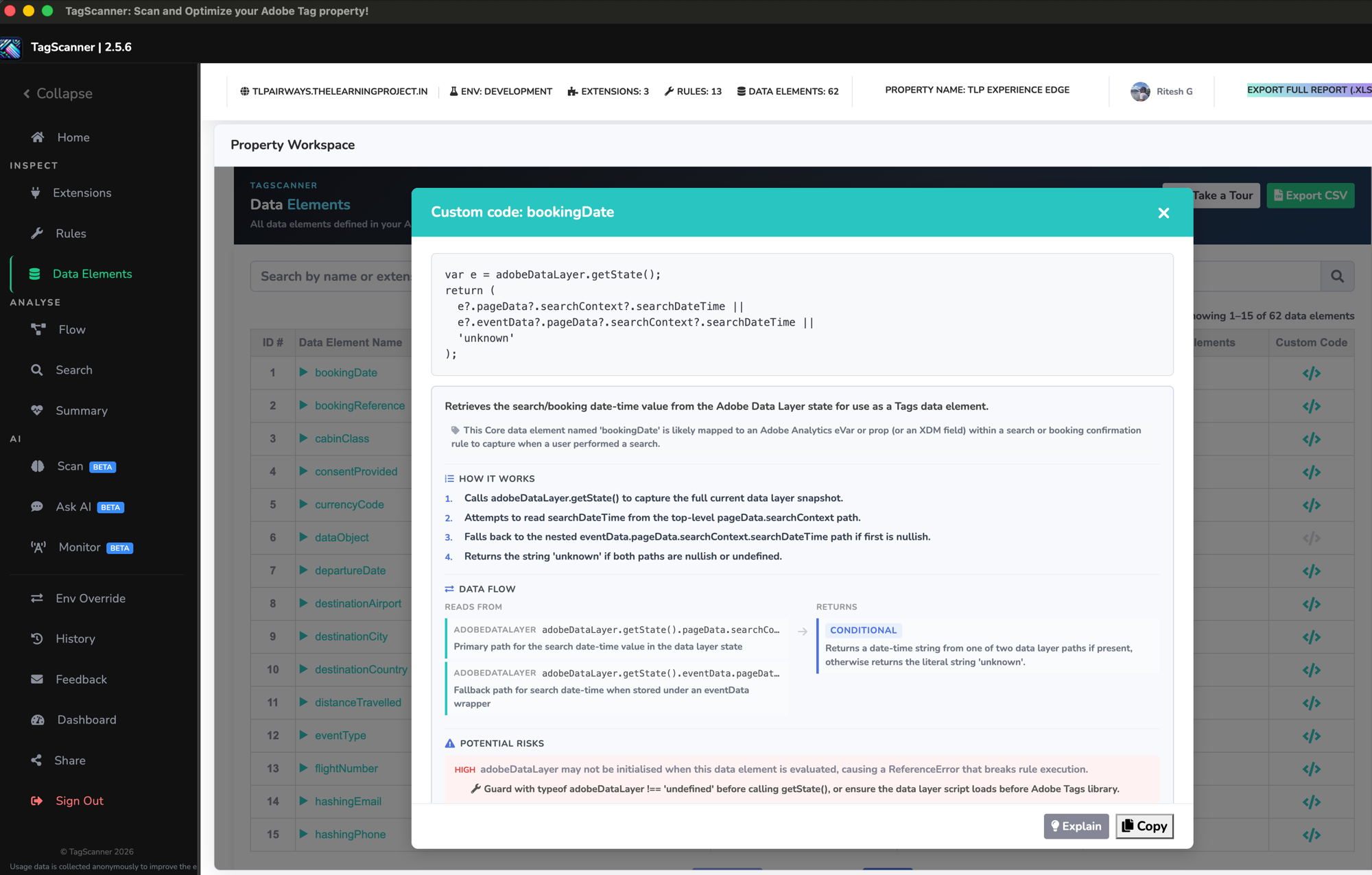
Custom Code Explanation
A plain-English breakdown of any custom code block: what it does, what data it reads, what it returns, risks, and ready-to-run debug commands.
Ask AI
Natural language questions about your live property — "Which rules fire on page load?", "What data elements use the data layer?" — answered instantly, with conversation persistence.
AI features are available on a best-effort basis and require Google OAuth. Core features above are fully available with no restrictions and no sign-in.
Three steps. No credentials.
Install the extension
Add TagScanner to Chrome for free. No sign-in required to use the core features.
Open any page with Adobe Tags
TagScanner reads the live _satellite container object straight from the page — no API tokens, backend access, or admin rights needed.
Audit, visualise & export
Get an instant view of rules, data elements, dependencies, and custom code — then export a polished Excel report to share with your team.
Who it's for
Tag managers, analytics engineers, MarTech consultants, and implementation architects who audit, document, or optimise Adobe Tags properties — and want to spend less time in the Launch UI and more time on the actual work.
A closer look
Real report views from a TagScanner audit.
What users are saying
Real feedback from TagScanner users.
★★★★★"Love the functionality of this extension to debug our Adobe Tag property."
"This is pretty cool, I like the flow visualisation and the summary of unused components."
Ready to see what's hiding in your Tags property?
Free. No sign-in required for core features. Google OAuth required for AI features only.
Add to Chrome — free